Save it once.
Type // to bring it back
Save your most-used replies once and insert them into any text field by typing //. Free, private, lightweight — no account, nothing uploaded.
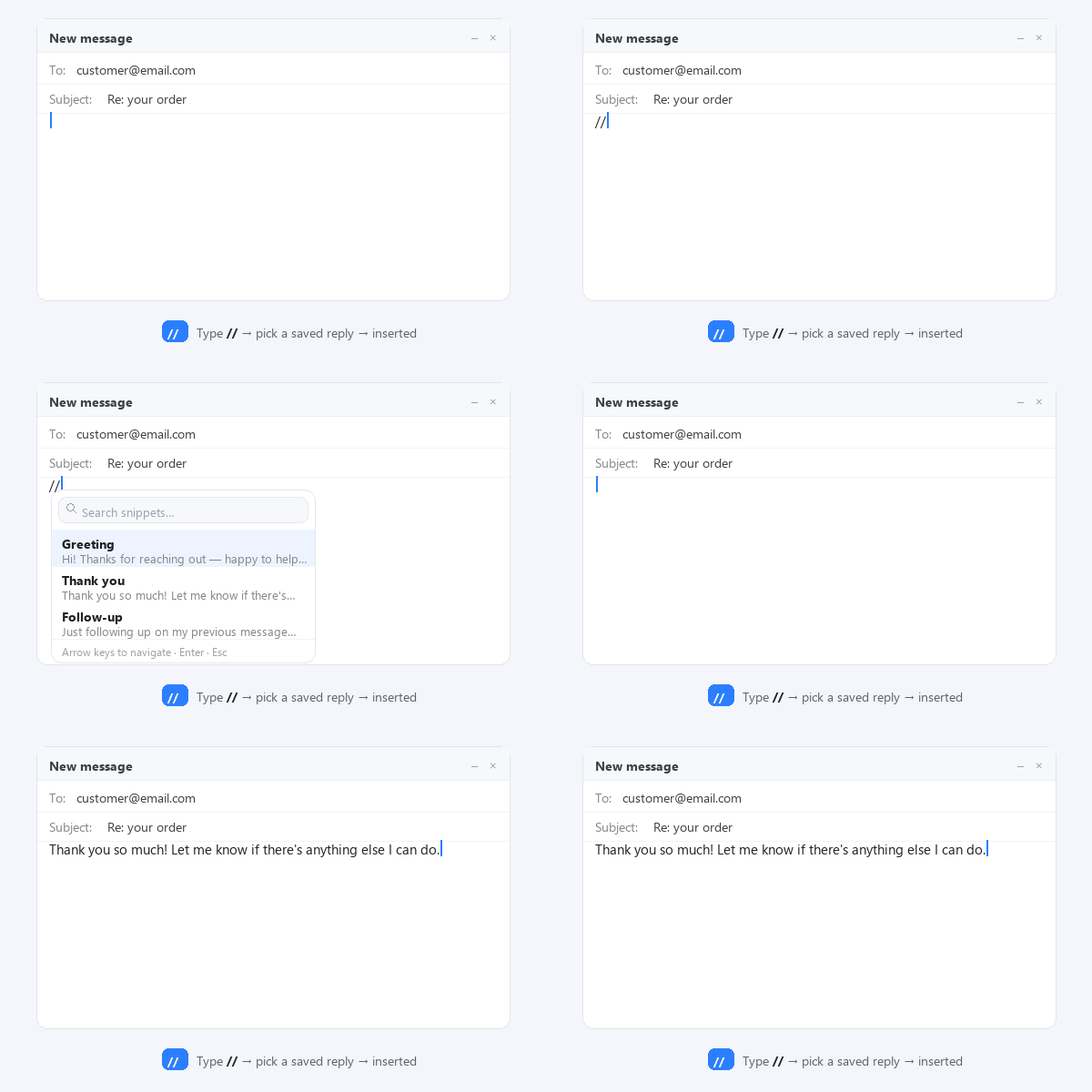
A comment-length trigger for a paragraph-length reply
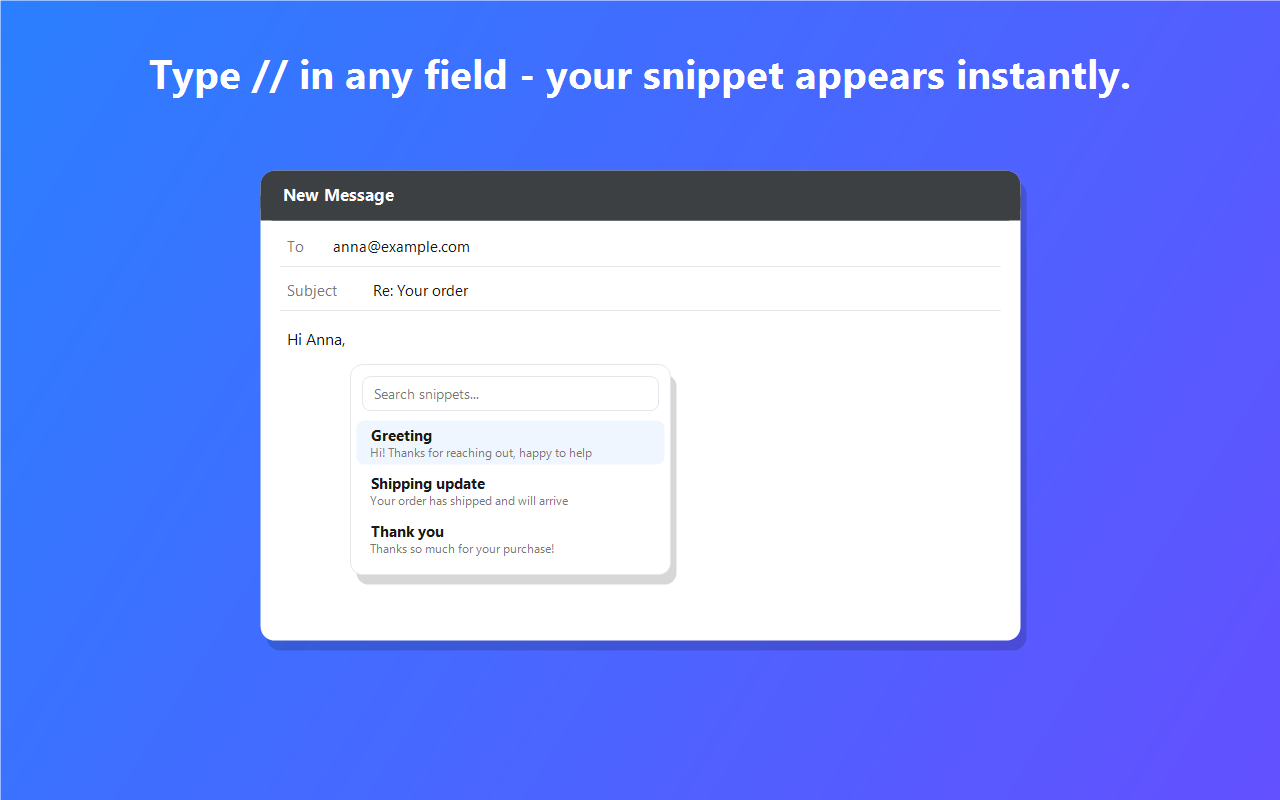
Type // (or a shortcut) and pick a snippet. It's inserted right at your cursor.
Gmail, help desks, marketplaces, social, CRMs and forms — any standard text field.
Snippets stay in your browser. Nothing uploaded, tracked, or shared. No account.
Type a short trigger like ;hi and it expands into your snippet instantly.
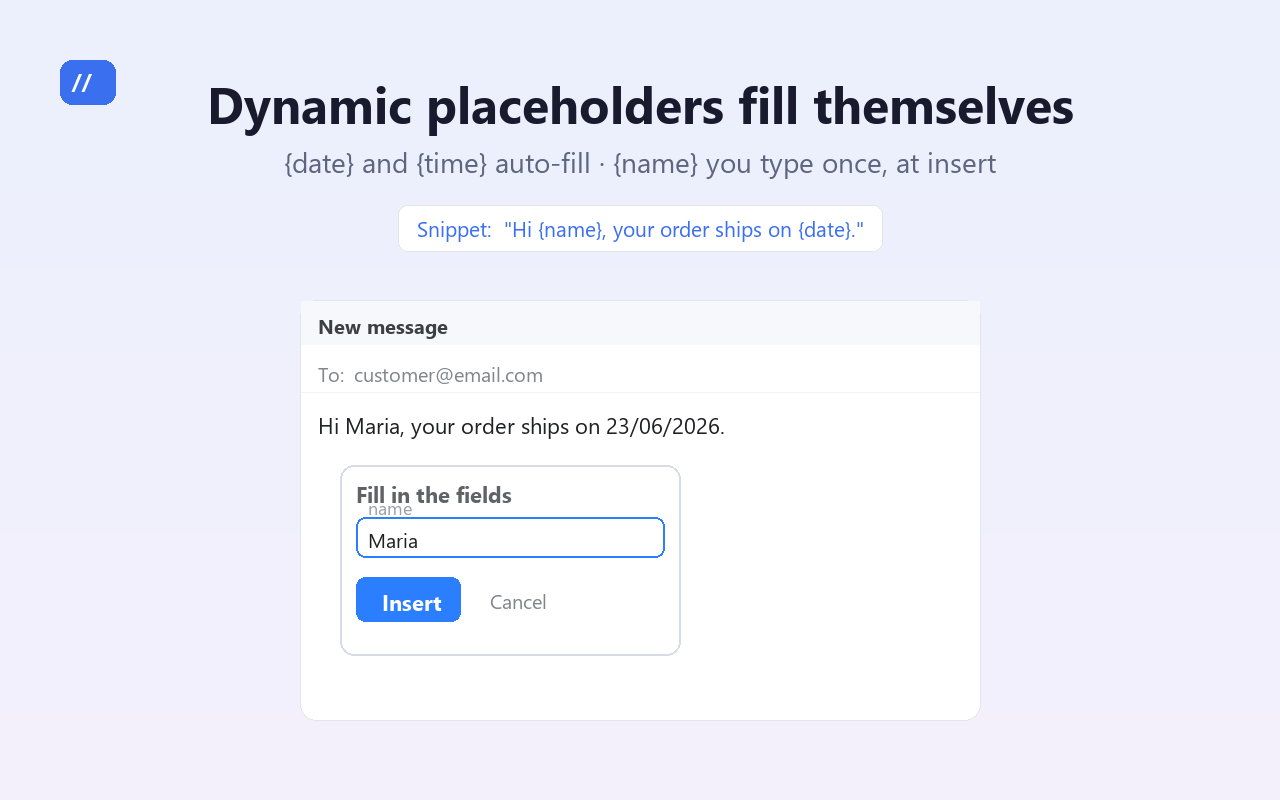
{date} and {time} fill in automatically; {name} asks you when inserting.
For editors that block auto-insert, one click copies the snippet to paste manually.
Organize your snippets into groups and filter them in a click.
Up to 10 snippets free. Pro unlocks unlimited — a fair, simple text expander alternative.
Anyone who types the same reply twice
Answer FAQs and tickets in seconds with canned responses.
Proposals, onboarding and follow-ups without retyping.
Order, shipping and review replies on any marketplace.
Outreach and templated messages that stay personal.
Three steps, no onboarding required
Save a snippet from the toolbar popup — a greeting, FAQ answer, follow-up.
In any text field, type
//or pressCtrl/Cmd+Shift+Space.Pick a snippet from the instant search — it's inserted at your cursor. Or hit Copy.
Templates that fill themselves in
Mark the parts that change once. {date} and {time} fill in on their own; anything else, like {name}, asks you right before it's inserted.
guides/
14 files · copy-paste templates & how-tos
Free text expander alternative
Why a lightweight snippet tool beats a heavy text expander.
replykit-vs-textexpander.htmlReplyKit vs TextExpander
Price, setup, privacy and features compared side by side.
replykit-vs-text-blaze.htmlReplyKit vs Text Blaze
Simple snippets vs deep automation — which fits your workflow.
canned-responses-in-gmail.htmlCanned responses in Gmail
Insert reply templates in Gmail and anywhere by typing //.
customer-support-reply-templates.htmlCustomer support reply templates
11 copy & paste canned responses for support teams.
etsy-message-templates-for-sellers.htmlEtsy message templates for sellers
10 buyer messages for Etsy shops, ready to use.
freelance-email-templates.htmlFreelance email templates for clients
12 client emails: inquiries, proposals, invoices, follow-ups.
text-snippet-variables-placeholders.htmlVariables & placeholders
Dynamic templates that fill themselves: {date}, {name} and more.
text-shortcuts-abbreviations.htmlText shortcuts & abbreviations
Turn short triggers like ;hi into full messages, instantly.
live-chat-canned-responses.htmlLive chat canned response examples
20 fast replies for chat support: greetings, holds, refunds, closings.
shopify-customer-service-templates.htmlShopify customer service templates
12 store replies: orders, shipping, returns, refunds, reviews.
customer-service-apology-email-templates.htmlCustomer service apology email templates
10 sincere apologies: delays, billing errors, defects, outages.
cold-email-templates-for-sales.htmlCold email templates for sales
12 outreach, follow-up and breakup emails that get replies.
whatsapp-business-quick-reply-templates.htmlWhatsApp Business quick reply templates
Greetings, orders, payments and follow-ups for WhatsApp Web.
Frequently asked
Is ReplyKit free?
Yes — free for up to 10 snippets. Pro unlocks unlimited snippets and more.
Are my data safe?
No ads, no trackers. On the free plan your snippets are stored locally via chrome.storage.local; with Pro they sync across your devices through your browser's built-in sync (never through our servers). See the Privacy Policy.
Does it work in Gmail?
Yes. It works in Gmail and any standard text field. For isolated editors, use the Copy button.
Is it a text expander?
Think of it as a lightweight, private text-snippet tool — a simpler, free alternative to heavier text expanders.